Ninox Drone shows red: can I fly anyway?

Rune Millerjord
Photographer (Commercial & Adventure)
Mar 12, 2026
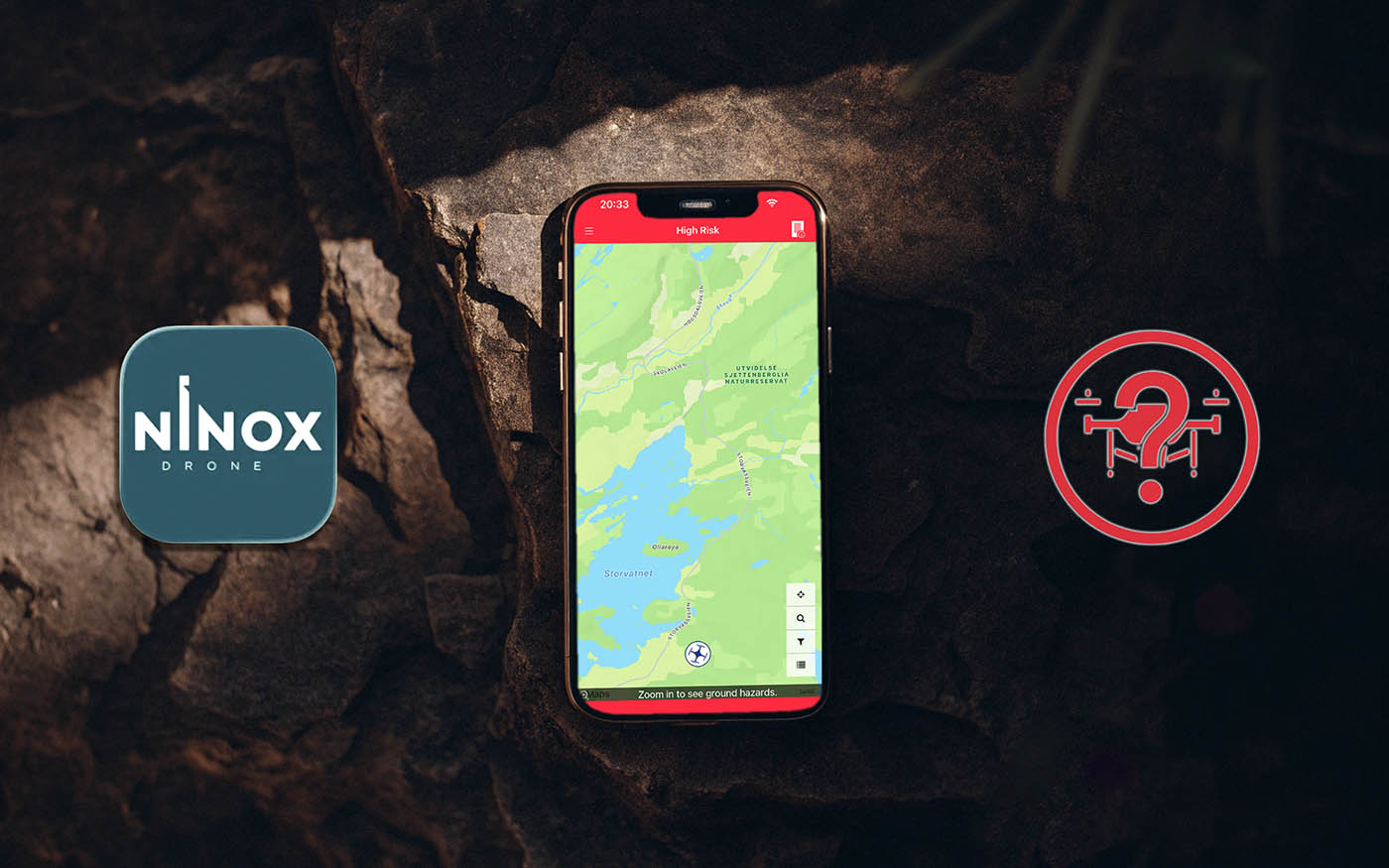
Ninox Drone shows red: Can I fly anyway?
Like many others, we have been frustrated with the Ninox Drone app and how to understand and use it. Many report that the app almost always shows red and that it is difficult to understand. After using the app ourselves for a while, we see that the color code in no way means that you cannot fly. Think of it this way:
"Red means that there is information in Ninox that you should consider."
After reading this article, you will know what Ninox offers you. Here we go through what the color coding means, how to read the Area Report, and what to do when you receive a message from Ninox Drone about your flight plan.
A little aside: Avinor launched Avidrone as a replacement for Ninox in December 2024 but withdrew it the same day due to technical errors. Ninox is still the applicable tool until further notice.
What does red actually mean in Ninox?
Ninox uses color coding to show risk. It is not the case that just because you see red in Ninox Drone, it is illegal to fly. This is an important difference to understand.
Red and HIGH RISK mean that there is something in this area you should be aware of before you take off. It is the Area Report that provides you with the basis to make that decision yourself. Ninox is deliberately conservative — it is designed to give you information, and the decision to fly rests with you as the drone pilot. The only time Ninox can give you permission is to fly within a 5km radius of an airport.
Red means that you must read and consider the Area Report, not refrain from flying.
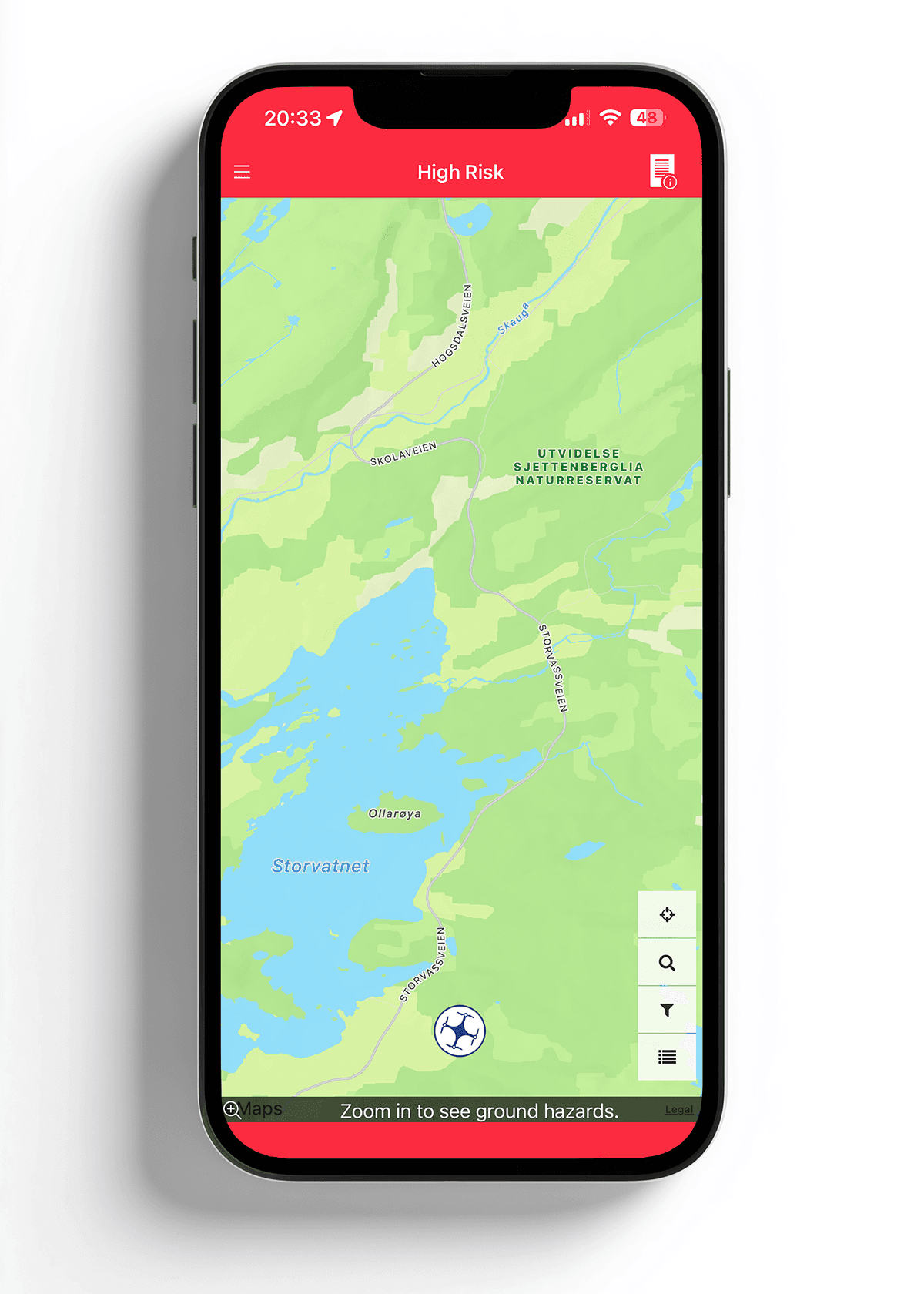
This is what it looks like when Ninox shows HIGH RISK — the starting point for opening the Area Report
When you see red, the next step is to open the Area Report. You can find it by tapping on the report icon in the upper right corner.
Ninox map is red everywhere — here's how to clean it up
Ninox has a set of map layers that can be turned on and off. You can find them by tapping the filter icon on the right side of the map.
One of these map layers is called "Regulated Airspace (RAS)". It is turned on by default, and it is this layer that makes large parts of the map appear red for most users. RAS shows regulated airspace — areas where there are airspace regulations of various kinds. It does not mean that it is illegal to fly there.
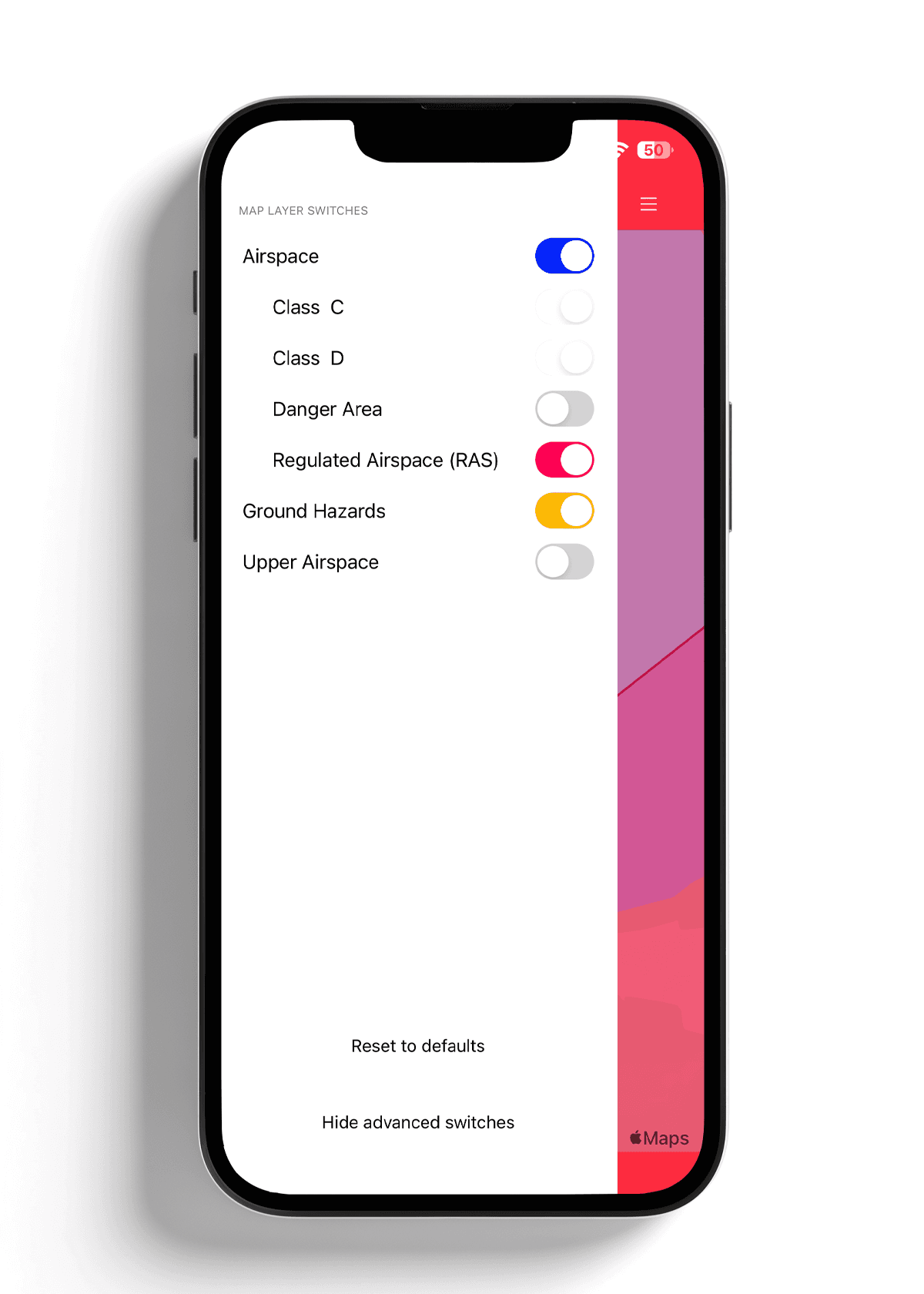
Tap the filter icon to see the map layers in Ninox. RAS is often turned on by default.
If you turn off the RAS layer, most of the red disappears, and you can see the map much more clearly. The red bands at the top and bottom of the map remains. In this example, this is Upper Airspace, airspace for commercial aviation from around 6,000 meters altitude. These lines look dramatic, but they are not relevant for you as a drone pilot in this case. You fly at a max of 120 meters. Upper Airspace starts where you will never go. That is why it is recommended to see and interpret the "Area Report".
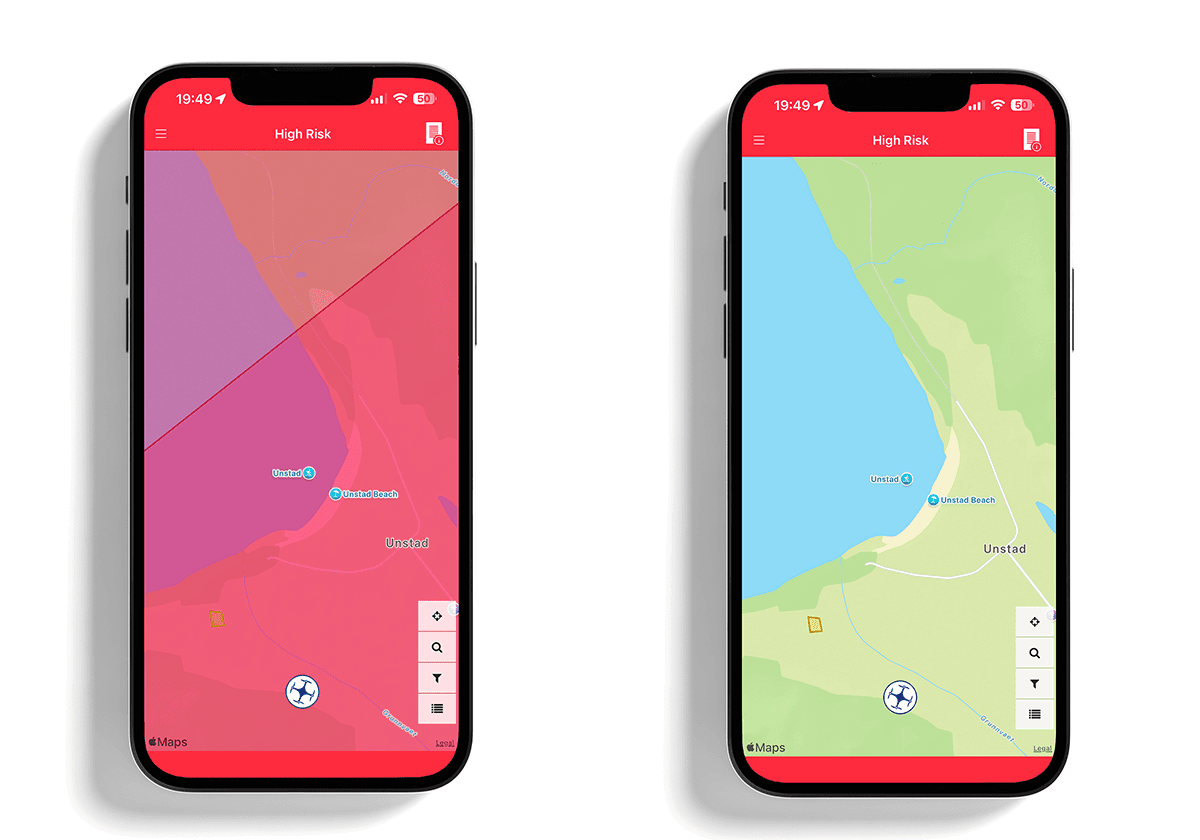
Same area, same rules — the only difference is what the map layer shows.
How to read the Area Report in Ninox
The Area Report breaks down what is actually in the area. Three things are worth looking out for:
Airports are listed by name in the report. Regardless of size and type, the 5km rule applies — you cannot fly within 5 kilometers without permission. If you are within this zone, Ninox is the tool you use to apply for access digitally.
Permanent restriction zones like R-102 over central Oslo are described specifically in the report. Read what applies to the specific area.
Sector codes like C7, C6Z, and similar may seem technical, but they are practically irrelevant for you as a drone pilot. This is airspace for commercial aviation starting from around 6,000 meters altitude. You fly at 120 meters. These also often appear as "Red bars" in Ninox, but it does not mean that it is illegal to take off.
Temporary restrictions like military exercises or other short-term prohibited zones are published as NOTAM and can be found on IPPC.no, not in Ninox.
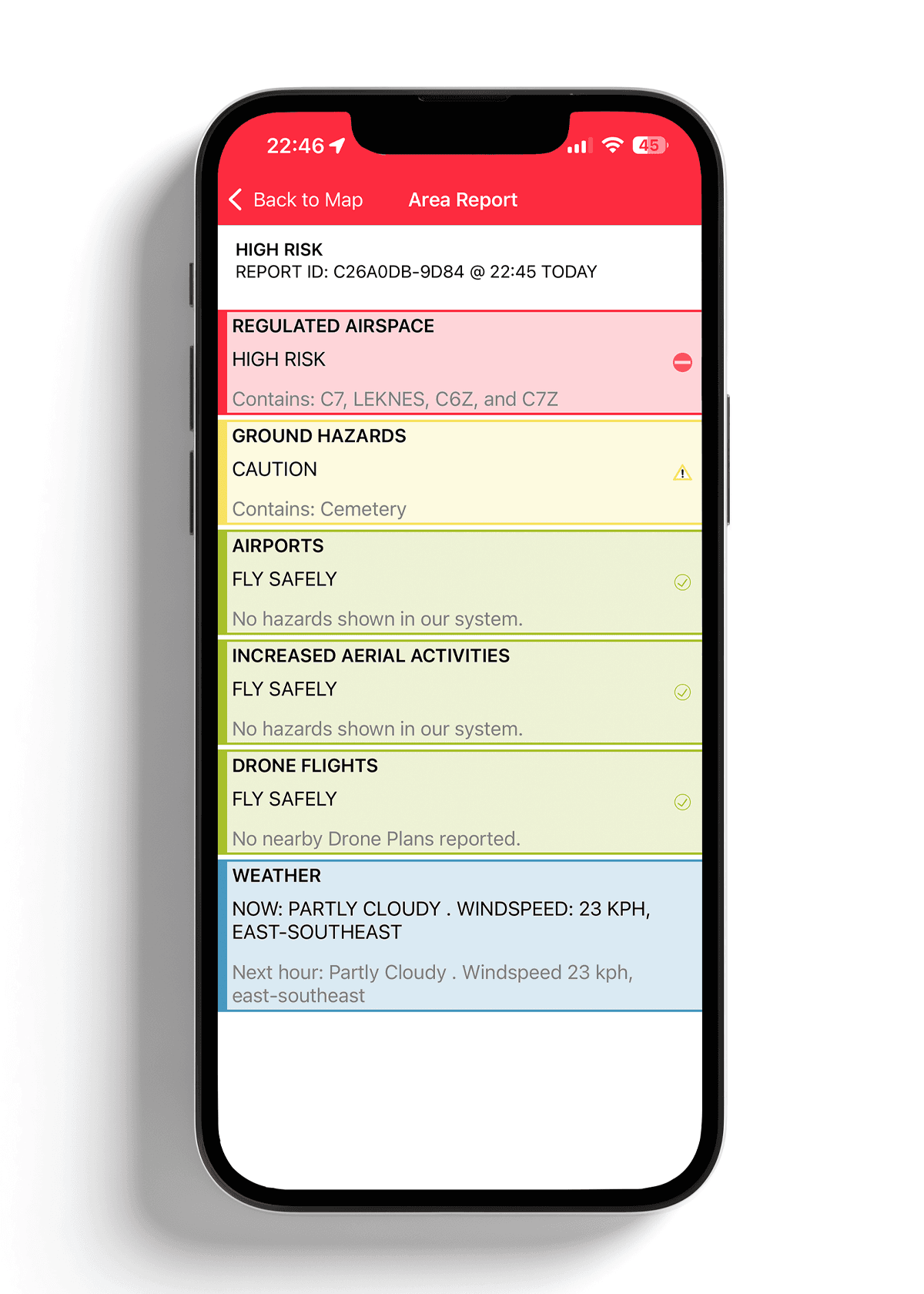
The Area Report shows what actually lies behind the red warning.
For a complete overview of what rules apply where in Norway, see "Where can I fly a drone in Norway?"
The Ninox message many think is a rejection
When you submit a flight plan, you often receive this message back:
"We have reviewed your Drone Plan and noted that it falls outside the controlled airspace currently served by Ninox Drone. As a result, we cannot provide you with a digital authorization to carry out your Drone Plan."
Two common reactions: do not fly, or fly without using Ninox. Both are actually unnecessary — one should rather check what Ninox actually informs you about.
This text is not a rejection. It is Ninox telling you that you are outside controlled airspace, and that there is therefore no digital clearance to give you, because you do not need one. We just received this message when we were supposed to fly at Unstad in Lofoten. We checked the Area Report, confirmed that we were outside 5km from Leknes Airport, and took off. No additional permission was needed. In this area, Ninox shows "Red bars" around the map, and under Area Report, it says "REGULATED AIRSPACE, HIGH RISK, Contains: C7, LEKNES, C6Z, and C7Z". When checking the distance from Leknes airport, it is 12.6km. Ninox still shows red, but that does not mean it is illegal to fly here.
What you have actually done when you submitted the plan is really the most important: you have made yourself visible in the airspace. Drone operations registered in Ninox become visible in real-time to air ambulances, police helicopters, and rescue helicopters through the HemsWX system. If a medical helicopter is approaching your area, the crew can see you on the map and contact you directly. This is not bureaucracy. It is you contributing to making airspace safe for everyone.
Ninox is one of the steps in our checklist. See "Plan your drone flight in 5 minutes".
Ninox Drone is challenging to use — but the information is useful
Ninox is confusing. It is a real and common experience. The app is not very intuitive, and aviation as a field is in itself challenging to navigate for drone owners.
But beneath the somewhat cumbersome user interface lies actually useful information: a risk assessment of the airspace around you, based on official data. When you know what to look for, it takes two minutes to read the Area Report.
Ninox is really not a hindrance between you and flying a drone. It is one of several tools that gives you confidence to fly.
Good luck with your flying!
Unsure what the rules actually say? See What do the drone rules in Norway actually say?